
Dungeon Rewards by Difficulty
This page shows the rewards that can drop in Mabinogi dungeons, by difficulty. You can search by dungeon name, or search by reward name to find the dungeons that drop that reward.
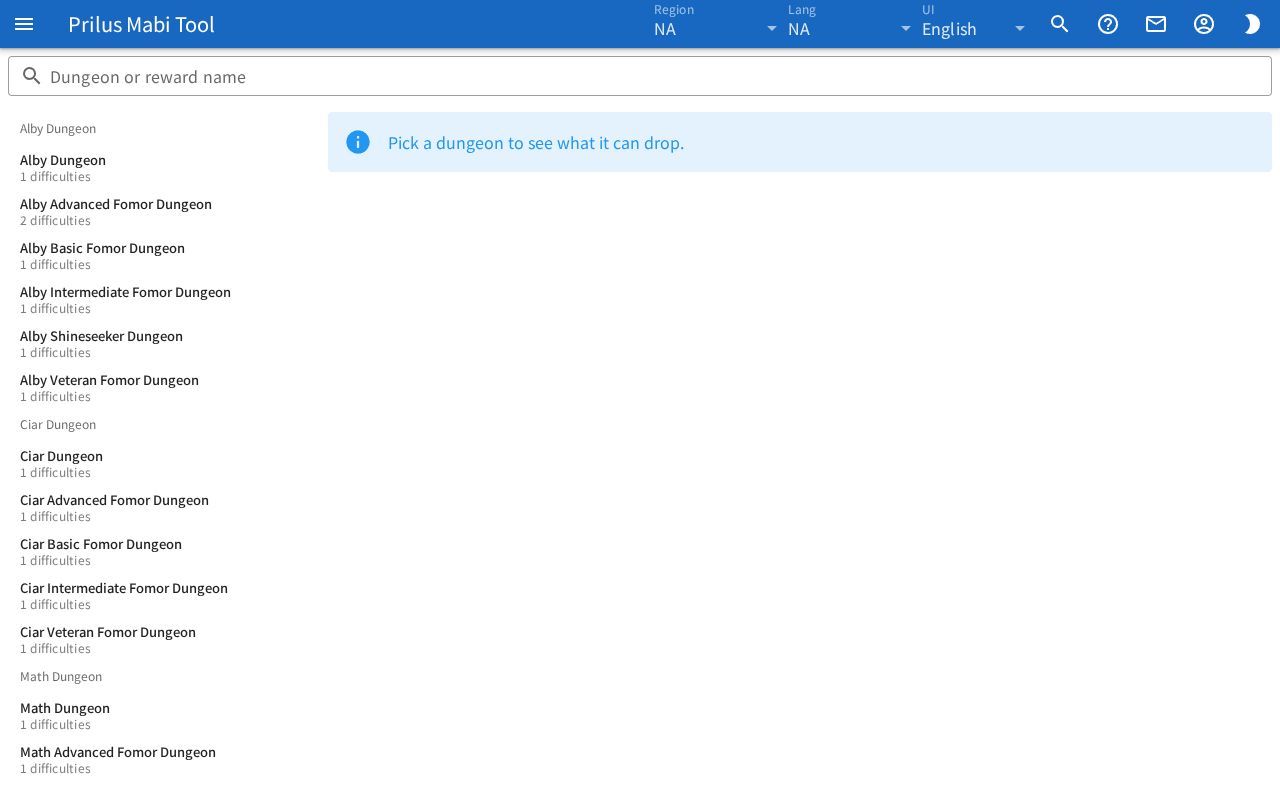
Screen layout
- The Dungeon or reward name search box is at the top.
- The dungeon list is on the left. Dungeons are split into groups.
- The rewards of the dungeon you picked are shown on the right. Before you pick a dungeon, the notice "Pick a dungeon to see what it can drop." appears.
Basic use
- Click a dungeon in the list on the left. You can also type a dungeon name in the search box to narrow the list.
- The dungeon name appears at the top right, with difficulty tabs below it.
- Click a difficulty tab to pick it.
- The rewards that can drop at that difficulty are shown as cards.
Finding dungeons
- Type a dungeon name to show dungeons with a matching name.
- Below each dungeon name in the list, the number of difficulties is shown as ○ difficulties.
- Dungeons with no group are under Others at the end of the list.
- If no dungeons match, "Nothing matches." appears.
Searching by reward name
Type an item or enchant name in the search box, and the dungeons that drop that reward also appear in the list.
- Dungeons with a matching name come first, and dungeons with a matching reward come after them.
- Dungeons found by reward show "Reward: (reward name)" below their name.
- Click that dungeon, and the difficulty tab that has that reward is picked first.
- The reward you searched for is marked with a border and a highlight color, and comes first among the reward cards.
Reading rewards
When you pick a dungeon, its name appears in bold at the top right. Dungeons in a group have the group image to the left of their name and the group name next to it.
- If there are too many difficulty tabs to fit, scroll through them with the arrows on either side.
- Below the tabs, ○ rewards is shown. Difficulties with a set gear level have Gear Level ○ in front of it.
Each reward card shows one reward.
- The item image is on the left and the reward name is on the right. If a long name is cut off, hover over it to see the full name.
- Rewards that drop several at a time and gold have the count (x○) or range (○~○) in bold next to the name.
- Small tags may appear below the name.
- Enchant, Pattern, Gold: The type of reward. Normal item rewards do not have this tag.
- Event: An event reward. Event rewards come after normal rewards.
- ○ days, ○ hours, ○ min: A reward with a set duration.
- Day of the week: Rewards limited to certain days have those days added.
- Enchant name: Rewards that drop with an enchant have that enchant name added.
- Any other information is shown in small text at the bottom.
Hover over an item image to see its description. Click it to open the item menu. Menu entries differ by item. See Item menu for details.
Opening from the item menu
Press Dungeon Drops in the item menu to open a window with a table of the dungeons and difficulties that drop that item.
- Click a row in the table to open the rewards for that dungeon and difficulty in a new window. The reward cards are the same as on this page.
- For dungeons with two or more difficulties, there are difficulty tabs at the top of the window. Click a tab to see the rewards of another difficulty.
- Press Open in Dungeon Rewards in the window to close it and open this page with that dungeon and the difficulty you were viewing in the window.
On a narrow screen
- Only one of the list and the rewards is shown at a time.
- Click a dungeon to switch to the rewards view.
- Press the arrow button to the left of the dungeon name to return to the list.
Good to know
- When you pick a dungeon or difficulty, the page address changes. Open that address to open the page with that dungeon and difficulty picked.
- In regions with no dungeon reward data, "No dungeon reward data for this region." appears.