
Ducat Trade Profit and Routes
See the trade goods each Trading Post sells and the commerce mounts, compare how much you make by selling trade goods in each place, and find the destination and the trade goods to carry with the best profit per hour.
Basic use
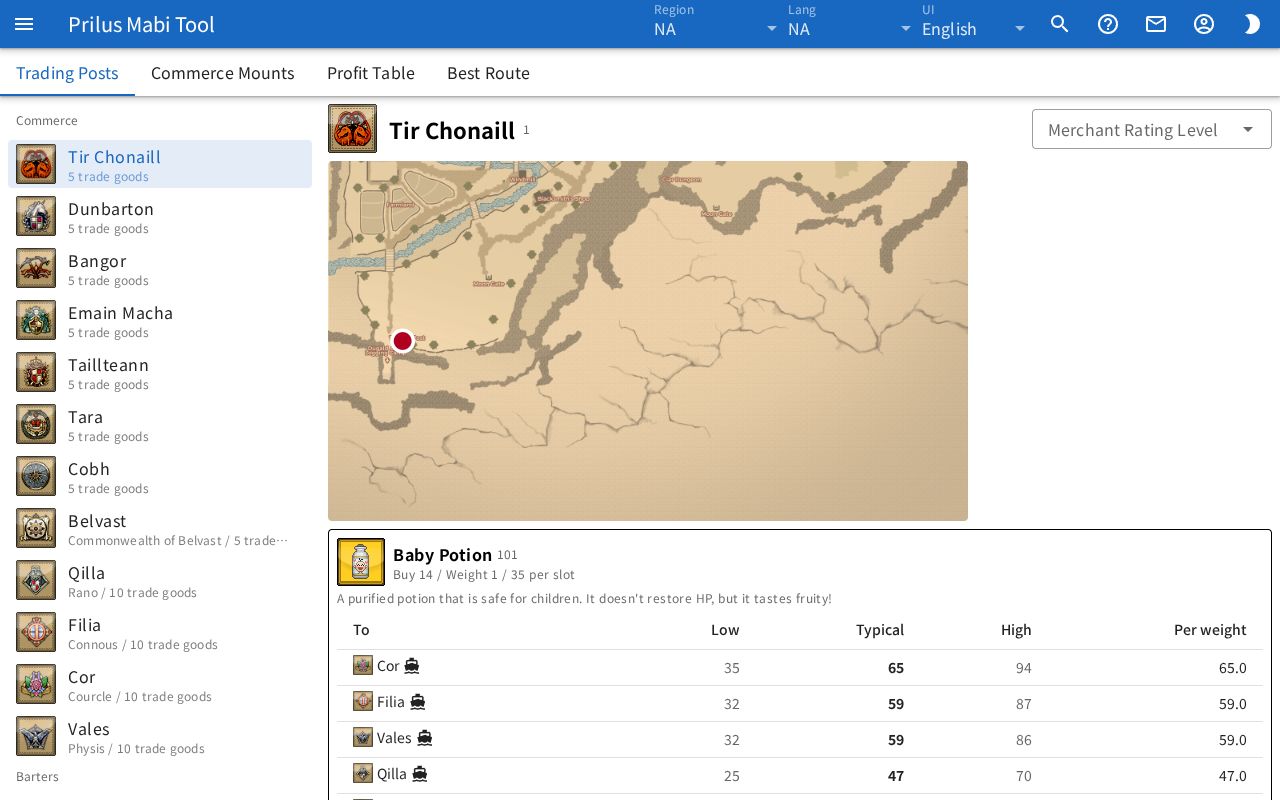
- In Trading Posts, choose a Trading Post to see where it is on the map, the trade goods it sells, and the profit at each destination for each trade good. Trading Posts under Barters show their barter items, and the Barters button opens Barters for that Trading Post.
- In Commerce Mounts, see each commerce mount's slots, weight, run speed, and how to get it. Press Try Riding to see the first character saved in the Character Simulator using that commerce mount in 3D. Switch the motion with Normal, Walk, and Run.
- In Profit Table, choose From, To, and Routes, and view trade goods ranked by profit Per weight, Per slot, or Per unit. Each trade good shows its most profitable destination. Press ○ destinations to see the profit at each destination.
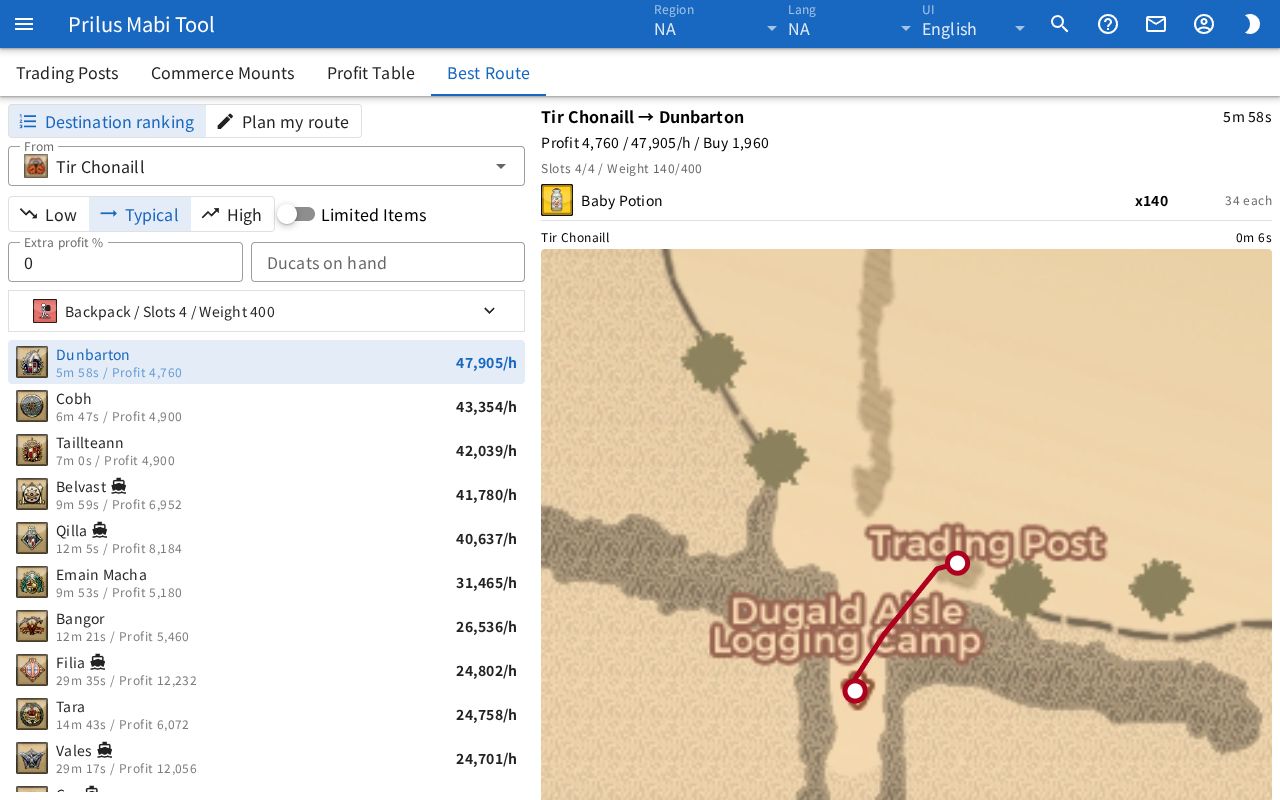
- In Best Route, choose the From Trading Post and a price level. Each destination shows the profit with full cargo and the travel time, ranked by profit per hour. Click a destination to see the trade goods and counts to load, and a map of the path through each region.
- To visit several places, switch Best Route to Plan my route and add the Trading Posts to visit in order with Add stop. You see the trade goods to load, the profit, and the time for each leg, plus the totals for the whole route. Press Back to start to return to the first Trading Post at the end.
Good to know
- In Trading Posts, choose the Merchant Rating Level for each Trading Post. Its discount is then applied to purchase prices there, and trade goods you can't buy at that level are left out of Profit Table and Best Route. Trading Posts without a level are calculated with no discount and no limit.
- Low, Typical, and High are the profits when prices at the destination Trading Post are low, typical, and high. They come from common market prices, so actual prices change as goods are sold.
- Limited Items are left out at first. Turn on the tag button in Profit Table, or Limited Items in Best Route, to include them.
- A ship icon in the Profit Table marks a route between Uladh and Iria. Choose Across continents in Routes to see only these. In Best Route, a ship icon appears for each ship you take.
- Enter Extra profit % to add that much to the profit. Enter Ducats on hand to load only as much as you can buy with it. Leave Ducats on hand empty to load without a limit. In Plan my route, each leg is loaded with your Ducats grown by the profit made on the leg before.
- Choose the buffs you have in Buffs to include them in travel time. Choose only one in each box. If you choose a commerce mount that runs on its own instead of being pulled by your character, buffs that apply only to your character can't be chosen and aren't counted in the time.
- Travel time in Best Route assumes running without stopping and leaves out the wait for ships. Stops or detours take longer. Cargo is filled to the base capacity of the commerce mount.
- Run speed in Commerce Mounts is without buffs. A commerce mount marked Event can only be used during the event.
- The commerce mount and buffs are shared with the route settings in Barters, and are saved separately for each region along with Merchant Rating Levels. Your other choices are also saved in this browser.
- The current tab and search text stay in the page address, so you can share them as a link.