
Spirit Enhancement Setups and Growth Items
Allocate Ego Points to spirit enhancement abilities for each weapon type, and build a setup within the points your spirit level gives. On the Growth tab, compare items to give your spirit by price per 1 EXP.
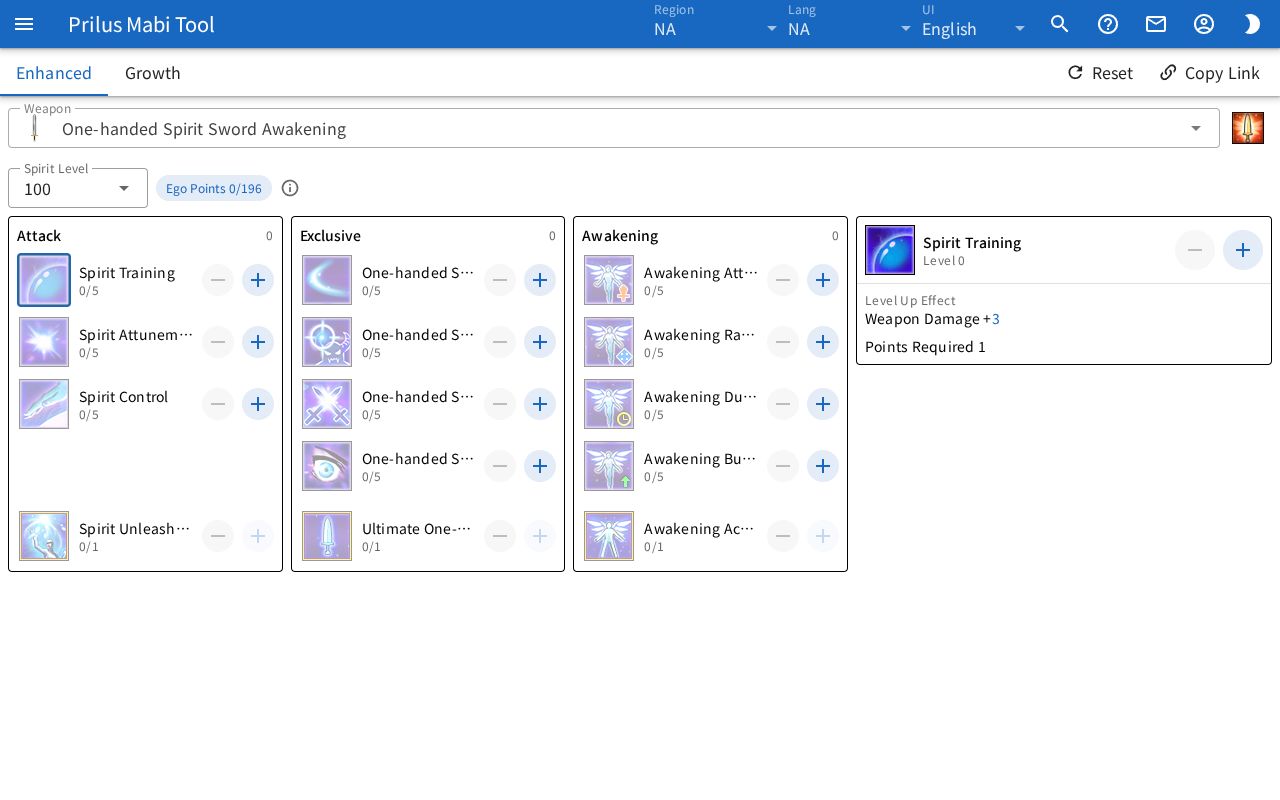
Building an enhancement setup
- Pick a Spirit Weapon type in Weapon. Press the skill image at the right of the field to open the info window of that Awakening skill.
- Pick a Spirit Level. Ego Points next to it shows the points you spent and the points you get up to that level.
- Press the + button on an ability row to raise its level, and the − button to lower it. Press an ability image or name to see Current Effect, Level Up Effect, and Points Required.
- The bottom ability of each category opens only after you spend enough points in that category. Press that ability to see the points spent now and the points needed in Activate.
- If lowering another ability in the same category leaves that condition unmet, the bottom ability you took is removed with it.
- When you lack the points to go further, the + button is dimmed. If you lower Spirit Level so the points spent exceed the points you get, Ego Points turns red, and the abilities you took stay as they are.
Saving and sharing
- Setups stay in this browser for each weapon type, separately for each region. Switching weapons leaves the other weapons' setups as they are.
- Use Copy Link to share the current weapon's setup and Spirit Level as a link. If that weapon had a different setup when you open the link, use Undo in the message to go back.
- Reset clears the points spent on the current weapon. Spirit Level stays as it is. Use Undo in the message to go back.
Comparing growth items
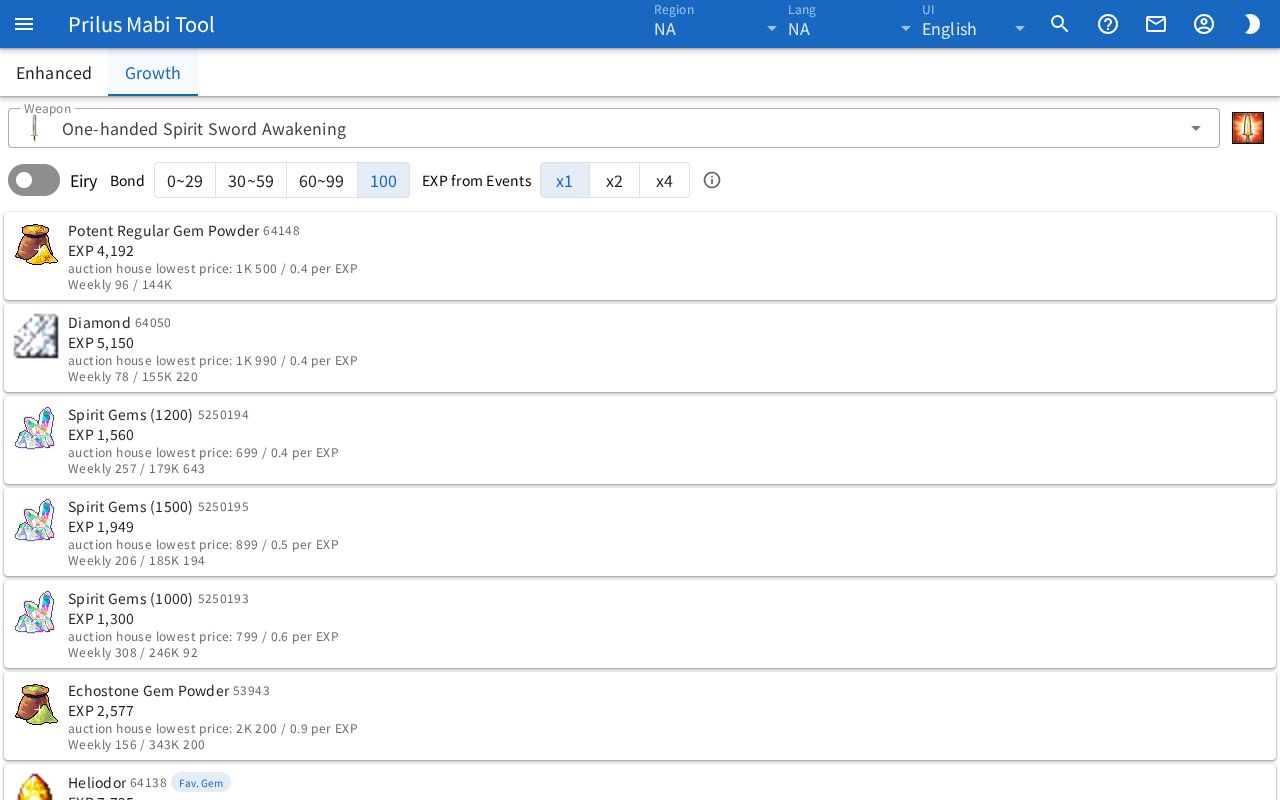
- Press the Growth tab. Each item's EXP is shown for the spirit of the Weapon picked above.
- Turn on Eiry if your spirit is Eiry. For Bond, pick the range that contains your spirit's bond, and if an EXP event is running, pick the EXP from Events multiplier.
- The list starts with the lowest price per 1 EXP. Items with unknown prices come after them, from the most EXP.
- Fav. Gem marks a gem the spirit of the picked weapon likes. It changes when you switch weapons.
- EXP is the EXP gained from giving one item, with the picked Bond and EXP from Events applied.
- Weekly ○ is how many of that item it takes to fill the weekly EXP limit with it alone, and the price next to it is what buying that many costs.
- Prices are based on the lowest Korean Auction House prices.
- Even in regions other than Korea, the points abilities cost, the Ego Points for each spirit level, and the EXP and weekly limit on the Growth tab are based on the Korean server.
- Click an item image to open the item menu.
- Eiry, Bond, and EXP from Events are remembered in this browser, separately for each region.