
Plan Life Expertise
Split points across Life Expertise Effects and see every effect you get at those levels in one place. Use it to plan before you spend points in the game.
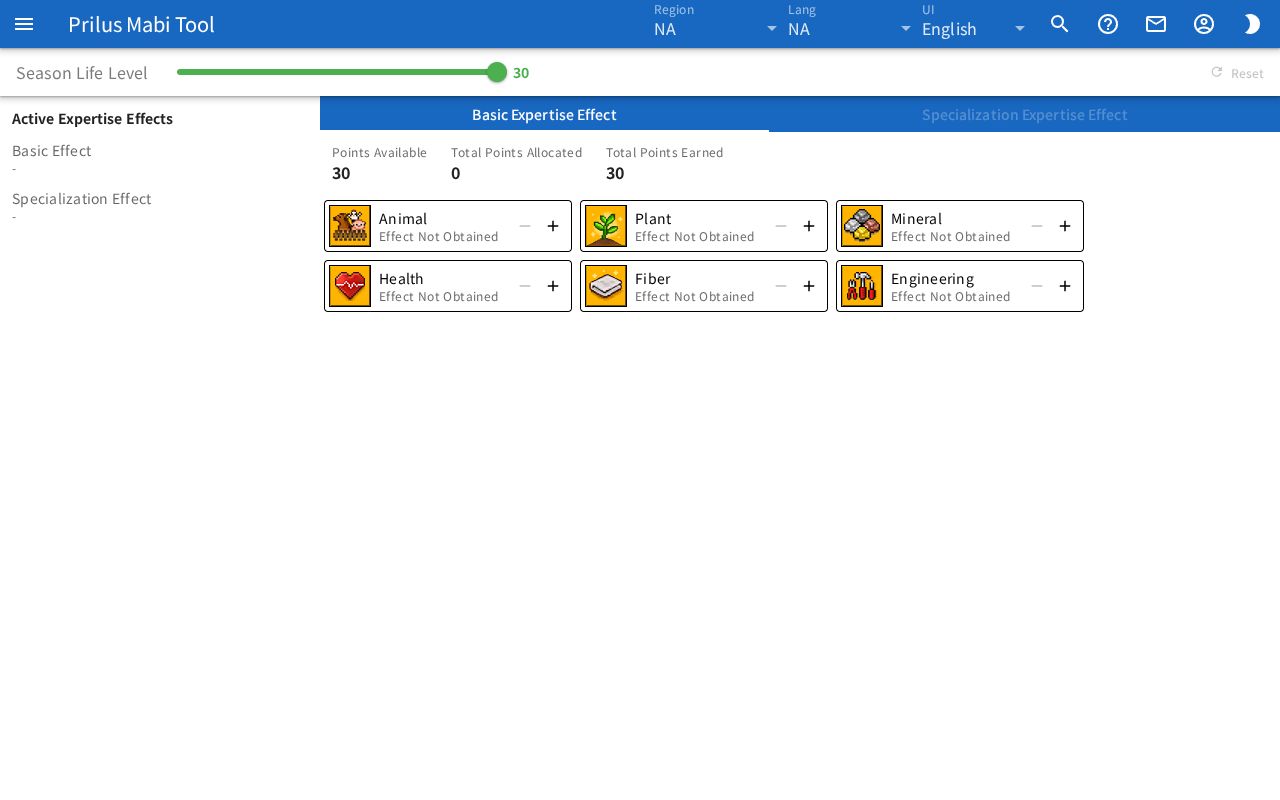
Basic use
- Move the Season Life Level slider. You can raise Basic Expertise Effect up to the Basic Life Points you get by that level.
- On the Basic Expertise Effect tab, raise levels with the + button (Unlock Effect, Enhance Effect) and lower them with the − button (Revert Effect).
- Once every Basic Expertise Effect is at its max level, the Specialization Expertise Effect tab opens. It stays locked if you are short of Basic Life Points.
- Active Expertise Effects gathers the Basic Effect and Specialization Effect of the current levels.
Good to know
- Hover over an effect icon (tap it on a touch screen) to see the effect at the current level and the next level.
- For Specialization Expertise Effects, raise the upper effect to the required level before you can raise the effects below it. To lower the upper effect below that, revert the effects below it first.
- The top of the Specialization Expertise Effect tab shows the Specialization Life Points spent in each field of Gathering Category and Crafting Category.
- Your levels are saved in this browser. Reset clears them all.
- To see the Success Rate of Specialization Recipes, pick the Specialization Expertise Effect level in the craft simulator on the Productions page.